Find answers in your clinical research Documents with Cited proof.
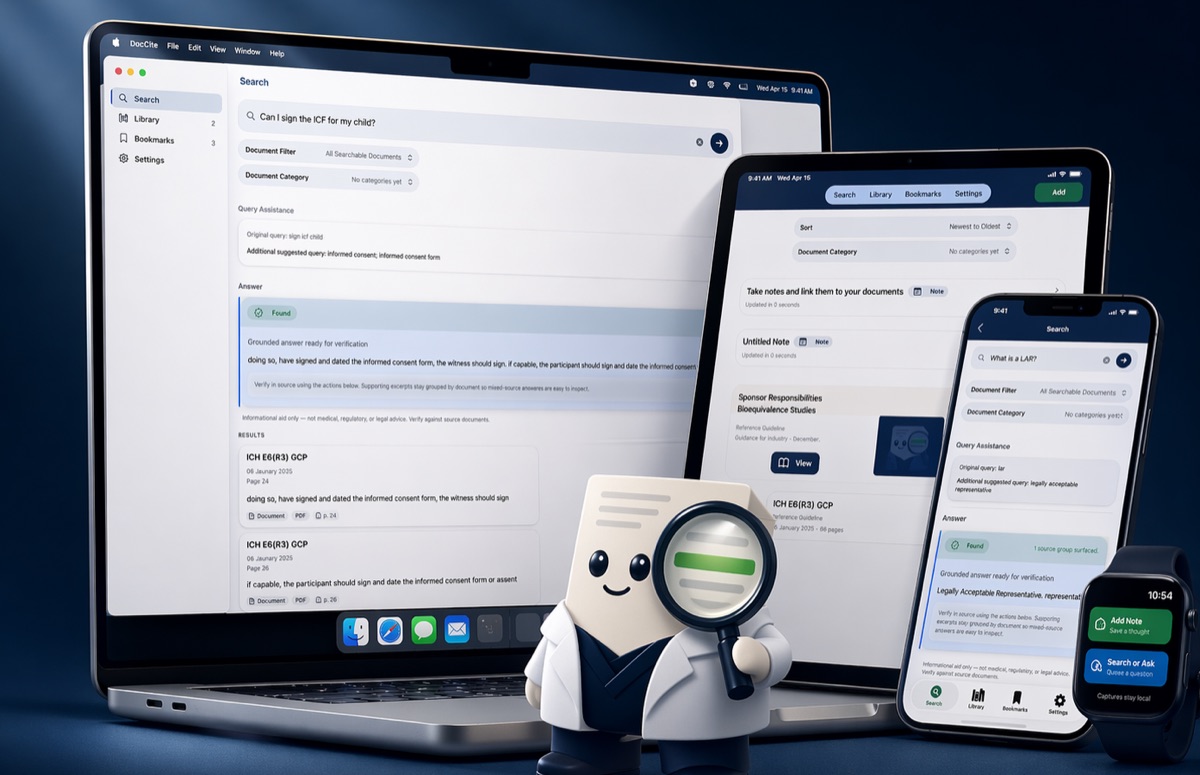
DocCite is a private, offline search and review tool for clinical research documents. It works across iPhone, iPad, Mac, Android, and Windows, so you can search local study documents and open the exact cited passage behind each result.


Also available as direct Mac, Android, or Windows downloads. See all download options.
What is DocCite?
DocCite works across iPhone, iPad, Mac, Android, and Windows. It is available through the App Store for iOS, iPadOS, and macOS; through Google Play for Android; through Microsoft Store for Windows; and as direct Mac or Windows downloads from the DocCite website. Apple Watch and Wear OS watch companion capture are available with the mobile apps. It searches across clinical research documents like protocols, ICFs, amendments, and study manuals, and shows the exact cited passage behind each answer. DocCite is free, requires no account, and never uploads your documents to the cloud.
Get DocCite
DocCite works across iPhone, iPad, Mac, Android, and Windows. Pick the download that fits your device. Your study documents stay on your device, with no account required.
Apple Watch and Wear OS watch companion capture are available with the mobile apps. View release notes (Mac v1.0.2, Windows v0.9.0).
Why DocCite
DocCite is a free app for iPhone, iPad, Mac, Android, and Windows that helps clinical research professionals search study documents locally and find the exact cited passage behind each result. Instead of scrolling through protocols, amendments, and ICFs one at a time, DocCite lets you search across all your loaded documents at once, then verify each answer against the original source. All document handling stays on your device with no cloud uploads and no account required.
Faster than manual search
Search across protocols, amendments, ICFs, and more in seconds instead of scrolling through one document at a time.
Cited proof you can verify
Every result shows the exact supporting passage from your documents. Tap any citation to jump to the original source and see the proof in context.
Private and local
Your study documents stay on your device. No cloud uploads, no accounts required, no external transmission for search or answers.
Ambiguity surfaced, not hidden
When documents conflict or multiple versions exist, DocCite warns you instead of silently picking a winner.
How It Works
Import your documents
Add study documents from Files, the iOS “Share With” feature to share from your email or any other app, or capture new ones with your camera. DocCite supports text-native PDFs, scanned PDFs with OCR, .docx, .txt, .rtf, and .md files.
Search or ask naturally
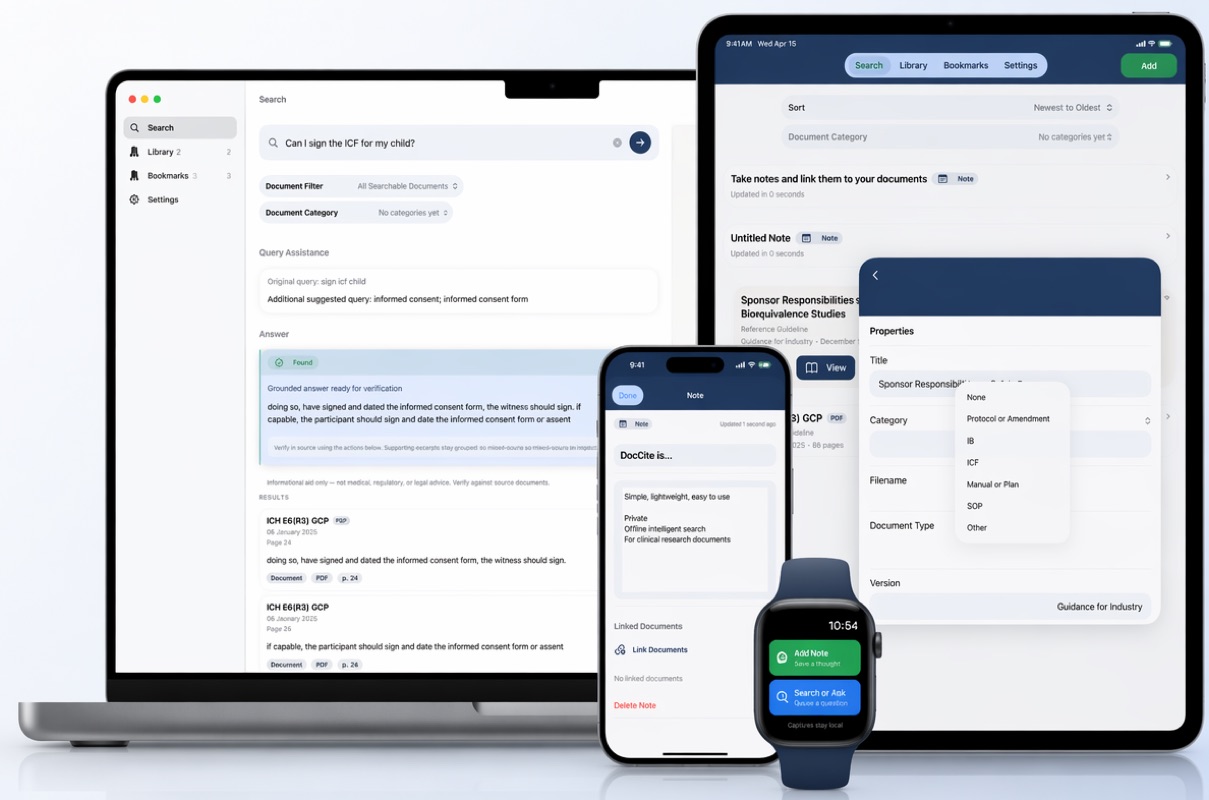
Type a keyword, phrase, or question. DocCite retrieves relevant passages using hybrid keyword and semantic search across all your loaded documents.
Review cited excerpts
See exactly which passages support the result that also shows the document name, page number, and section. Short grounded answers appear only when evidence from your documents is strong.
Verify in source
Tap any citation to jump to the original passage in context. Confirm the answer against the source document yourself.
Who It's For
CRCs, Research Nurses, and Site Staff
Quickly find protocol details, visit schedules, procedure requirements, dosing instructions, and eligibility criteria during study conduct.
PIs and Sub-Investigators
Review protocol language, compare amendment changes, and verify consent, eligibility, and visit requirements between patient visits.
CRAs
Cross-reference protocol requirements with site documents during monitoring visits, even offline.
Medical Monitors
Review safety-related protocol language, eligibility criteria, and study procedures in context across study documents.
Patient Recruiters
Check inclusion and exclusion criteria, consent requirements, and study-specific screening details before referral or enrollment.
Clinical Project Managers
Quickly verify protocol requirements, amendment impacts, and operational details across studies and teams.
Regulatory Coordinators and Managers
Review protocols, ICFs, amendments, and site documents to confirm version-specific requirements and key study changes.
QA Managers and Auditors
Find exact supporting language in protocols, consent forms, manuals, and amendments during quality reviews and audits.
Research Pharmacists
Quickly reference dosing, preparation, storage, accountability, and dispensing instructions in study documents.
Other Clinical Research Professionals
Search study documents quickly to verify requirements, compare language, and find the exact supporting passage in context.
If your organization is exploring DocCite for a research team or site network, we're happy to talk.
Trust and Limits
- DocCite is an informational aid for document navigation and not the official source of record.
- Always verify answers against the original source documents.
- DocCite does not provide medical, regulatory, or legal advice.
- When evidence is weak, ambiguous, or conflicting, DocCite will say so rather than guess.
- Results may be partial or absent when documents are unclear or incomplete.
Learn more about how DocCite handles your data on our privacy page.
Frequently Asked Questions
Does DocCite send my documents to the cloud?
No. DocCite keeps your documents on your device. There is no cloud upload, no server-side processing, and no external transmission of your documents for search or answers.
Does DocCite work offline?
Yes. DocCite works fully offline. Search, retrieval, and cited answers do not require an internet connection.
Can DocCite answer questions without citations?
No. DocCite only provides answers when they are supported by specific passages from your loaded documents. If it cannot find sufficient evidence, it will say so rather than guess. Every answer includes the exact supporting excerpt.
Useful Beyond Clinical Research
Although DocCite was designed for clinical trial documents, the same workflow can also be useful for many other types of document libraries.
Professional
SOPs, training manuals, policy handbooks, internal reference guides, meeting slides
Educational
lecture notes, study guides, course packets, research articles, graded homework, teacher feedback
Personal
recipes, travel plans, home reference guides, appliance manuals, personal notes, family documents
Technical
product manuals, troubleshooting guides, process documentation, requirements docs