During patient pre-screening
Locate the current inclusion or exclusion wording, review the cited passage, and confirm the controlling protocol version before recording or escalating the pre-screen.
DocCite for patient recruitersFor clinical research professionals
DocCite searches protocols, amendments, informed consent forms, and study manuals on your device. Ask a question, review the cited passage, and open the source in context.
A DocCite Web example
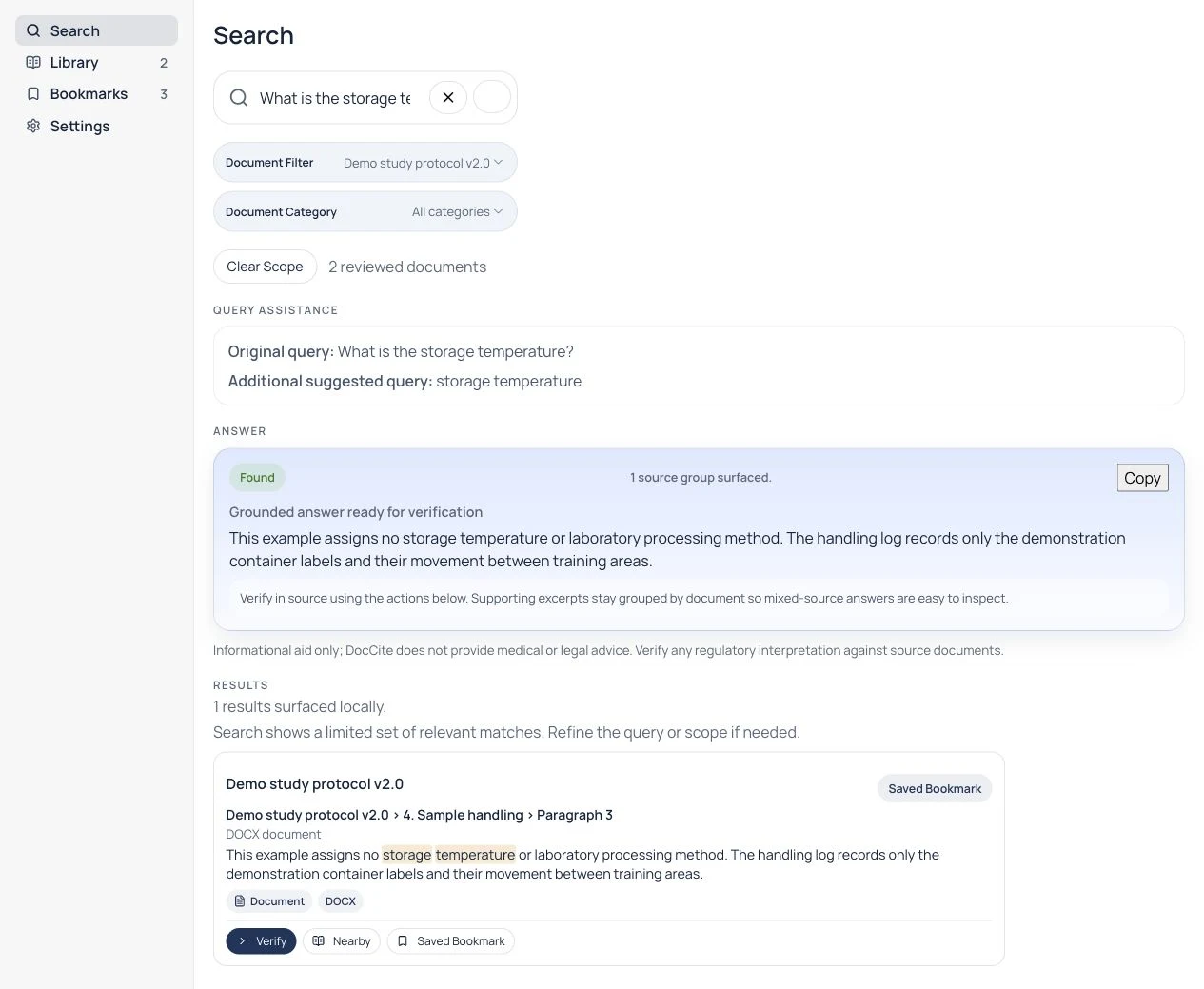
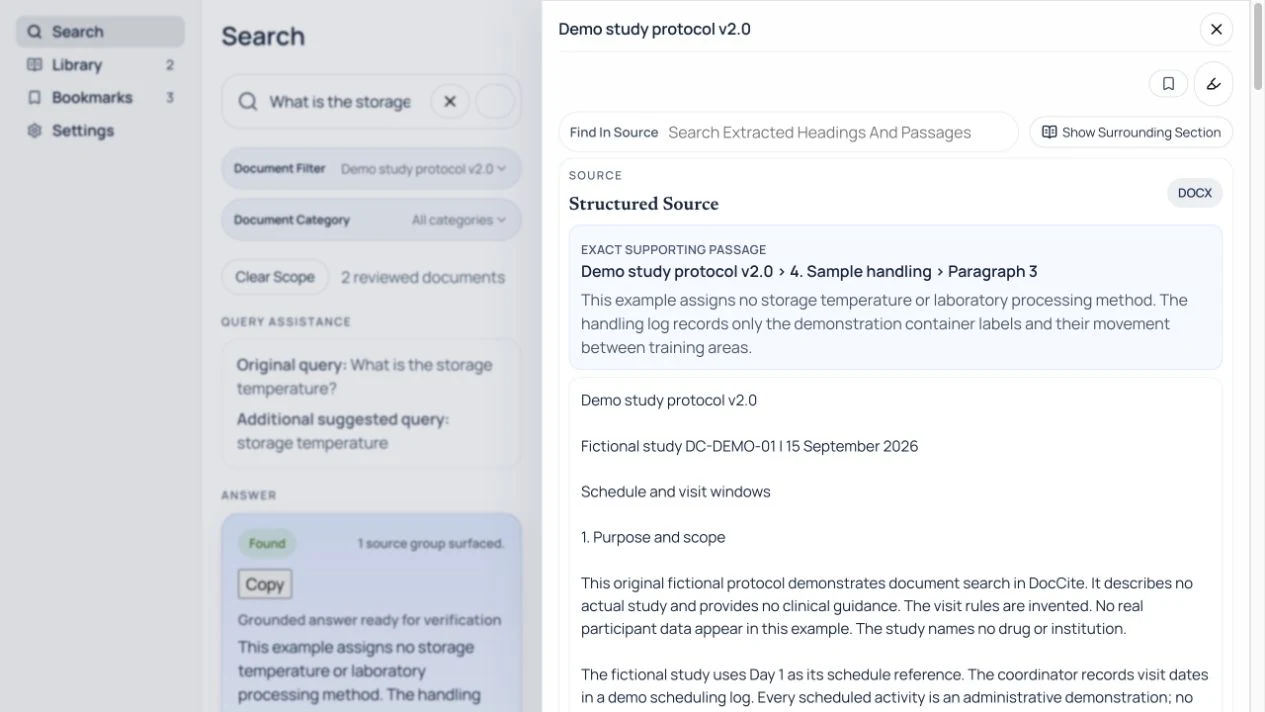
For “What is the storage temperature?”, DocCite finds the passage stating that this fictional protocol assigns none. Open the citation to check that wording in the source.

Built and maintained by David Lew
David has worked in clinical research since 2003, from CRA and clinical trial management work through project management and clinical operations leadership. He is also an Adjunct Lecturer at Regis College, where he teaches graduate coursework in clinical research project management and FDA regulations.
David built DocCite around a recurring problem in clinical research. A study question may be simple, while the controlling language is spread across a protocol, amendment, ICF, and study manual. DocCite finds the passage and keeps its document, page, and section attached so the person doing the work can review the source before making or escalating a decision.
About David and DocCiteBuilt around clinical research work
Locate the current inclusion or exclusion wording, review the cited passage, and confirm the controlling protocol version before recording or escalating the pre-screen.
DocCite for patient recruitersCheck a visit window, procedure requirement, or protocol instruction without opening each study document separately.
DocCite for CRCsFind the source language behind a protocol question and carry the document name, page, and section into the review.
DocCite for CRAsHow it works
Add study documents with the file, open, or share options available on your device. Camera capture is available where supported. DocCite accepts text-native PDFs, scanned PDFs with OCR, DOCX, TXT, RTF, and Markdown files.
Type a keyword, phrase, or question. DocCite retrieves relevant passages using hybrid keyword and semantic search across all your loaded documents.
Review the passages that support the result, including document name, page number, and section. Short answers appear only when the loaded documents support them.
Tap any citation to jump to the original passage in context. Confirm the answer against the source document yourself.
DocCite helps you find and review document language. It does not determine patient eligibility, recommend treatment or dosing, assess safety, or replace clinical, regulatory, or legal judgment. Confirm the controlling source documents and follow your study procedures before acting.
What DocCite does
Search protocols, amendments, ICFs, manuals, and other study documents together instead of opening one file after another.
Each result shows the supporting passage from your documents. Tap any citation to open the source and read the surrounding context.
Your study documents stay on your device. No cloud uploads, no accounts required, no external transmission for search or answers.
DocCite can flag possible conflicts or competing versions. Detection is heuristic and can miss disagreements; verify the cited sources.
Choose your platform
iPhone, iPad, and Mac
Search and review documents across the native Apple apps. Apple Watch can send a question or note to its paired iPhone.
View platformAndroid phones and tablets
Import, search, compare, and review cited passages on Android. Wear OS can send a capture to its paired Android phone.
View platformWindows 10 and Windows 11
Search local study documents, review citations, compare files, and return to the source from the Windows desktop app.
View platformGet DocCite
DocCite is free through the App Store, Google Play, and Microsoft Store.



If your Mac or Windows device cannot use its store, email hello@doccite.com with the device and deployment details.
The direct Android installer is currently version 1.2. Download the Android installer. View release notes.
For an existing library, check Offline Transfer compatibility.
Search local documents in a desktop browser. The library stays in your browser profile, so keep an encrypted backup outside it.
Frequently asked questions
DocCite is for clinical research professionals who work with study documents. This includes CRCs, research nurses, site staff, PIs and sub-investigators, CRAs, medical monitors, patient recruiters, clinical project managers, regulatory coordinators and managers, QA managers and auditors, research pharmacists, and other clinical research professionals who need to find and verify source passages.
DocCite works with common clinical study documents, including protocols, synopses, schedules of assessments and visits, informed consent forms (ICFs), investigator brochure excerpts, site manuals, pharmacy manuals, protocol amendments, protocol clarifications, FAQs, and related study materials. You can also use DocCite with other document sets when you want the source material organized, searchable, and easy to reference.
No. DocCite provides answers only when specific passages from your loaded documents support them. If it cannot find sufficient evidence, it will say so instead of guessing. Every answer includes the supporting excerpt.