
Protocol
“What are the key exclusion criteria related to renal function?”
Review the cited criterion, then confirm the protocol version and any related definition or exception before recording the pre-screen.
DocCite product tour
DocCite searches the study documents you add and opens the cited source for review. These examples use fictional demo protocols in the Web app and on iPad.
1. Ask a question
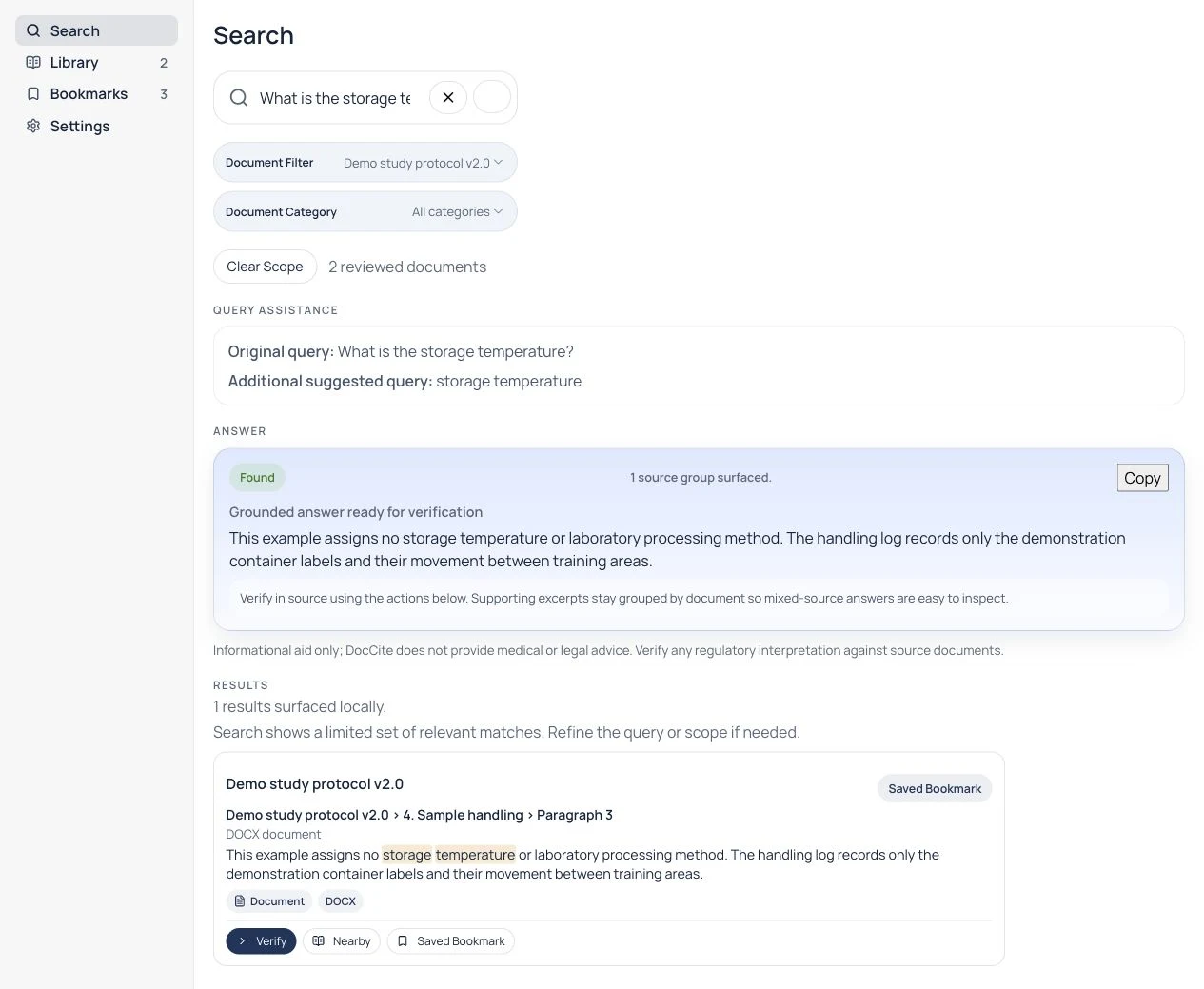
In this Web example, “What is the storage temperature?” returns the cited statement that the fictional protocol assigns none. The complete supporting passage remains available for review.
2. Open the citation
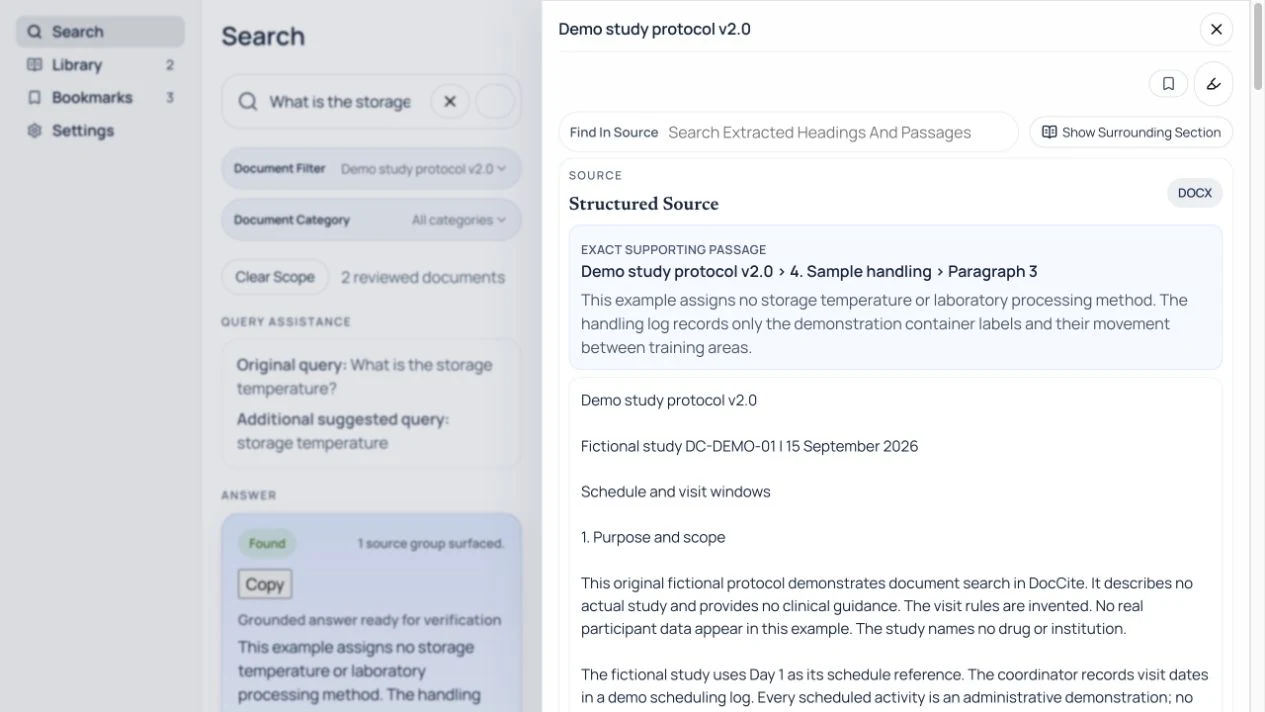
Open the cited result to check its wording in the source. This DOCX example identifies the section and paragraph; the surrounding section is available from the source-view controls.
3. Compare document versions
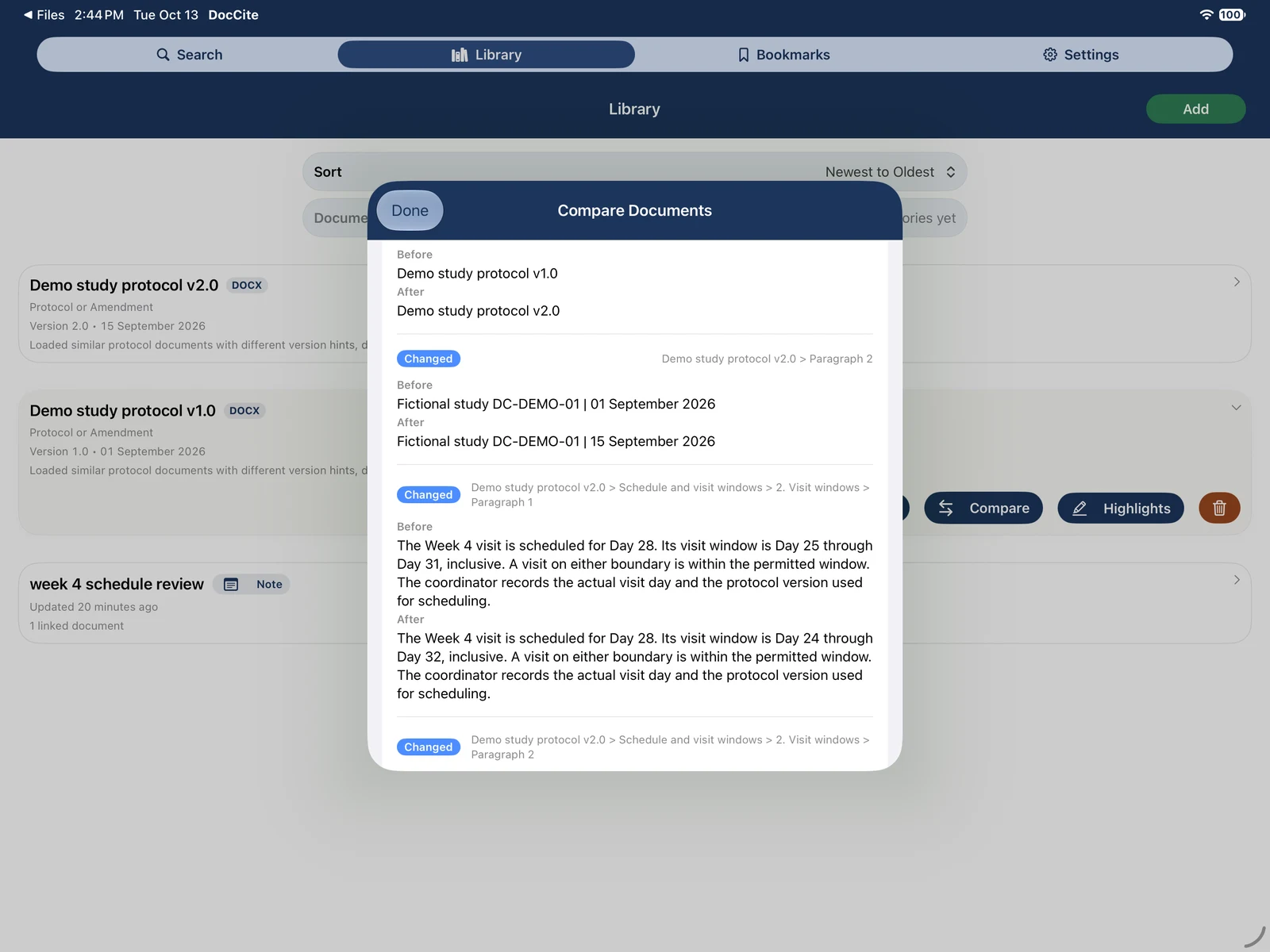
Choose an earlier document and a newer one to review changed passages. In this fictional iPad example, the Week 4 window changes from Day 25–31 to Day 24–32.
Document comparison is available in the current Apple app.
4. Copy the answer with citations
Use the answer's Copy control to keep its cited evidence and source locator with the text. Check those details against the original document before using the copied answer.
Examples to try with your study documents
The wording and answer will depend on the documents you add. These examples show how the same search-and-review workflow applies to common clinical research files.
“What are the key exclusion criteria related to renal function?”
Review the cited criterion, then confirm the protocol version and any related definition or exception before recording the pre-screen.
“What changed for the Week 8 assessment?”
Compare the amendment with the prior protocol language and check which version was in effect for the visit.
“What does the consent form say about optional future use of samples?”
Open the cited ICF section and read the surrounding consent language before answering the participant's question.
“What is the allowable window for Visit 4?”
Check the cited schedule or procedure text, then confirm whether notes or footnotes modify the stated window.
DocCite helps you find and review document language. It does not determine patient eligibility, recommend treatment or dosing, assess safety, or replace clinical, regulatory, or legal judgment. Confirm the controlling source documents and follow your study procedures before acting.